Productive Home Office: Ergonomic Tips for 2026 Workers
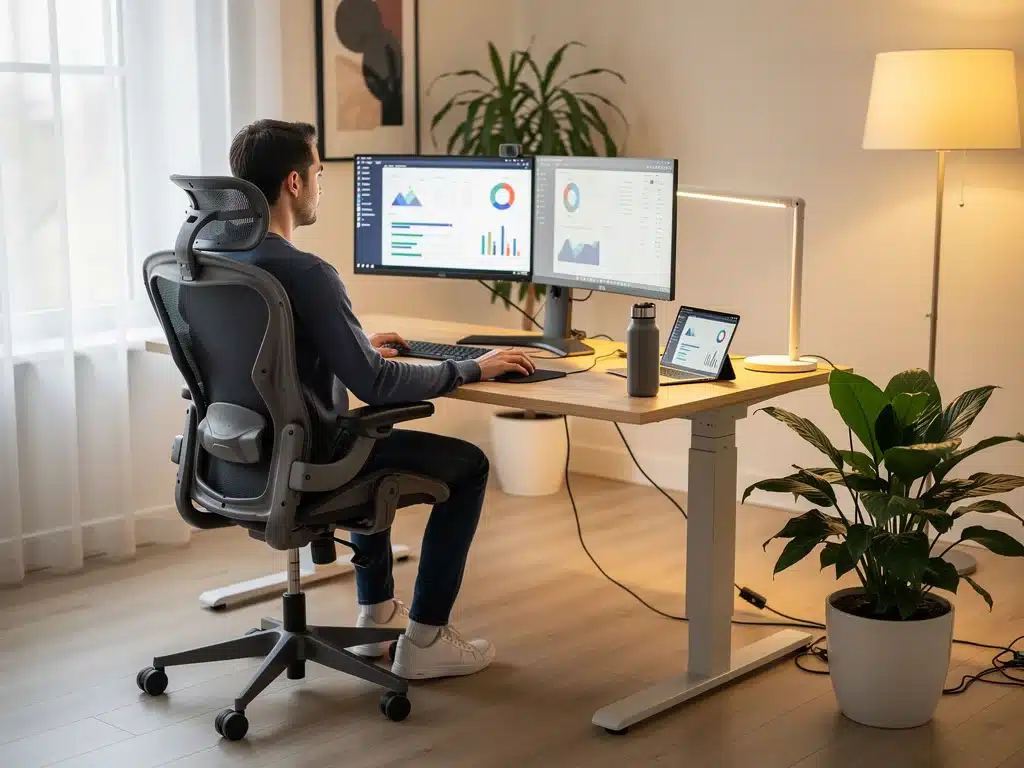
Creating a productive home office in 2026 demands a focus on ergonomics to ensure comfort, efficiency, and long-term health for remote workers, optimizing the daily work experience.
The landscape of work has fundamentally shifted, and by 2026, the home office is no longer a temporary solution but a permanent fixture for millions. To truly thrive in this environment, it’s crucial to prioritize not just efficiency, but also well-being. This guide delves into creating a productive home office, focusing on seven essential ergonomic tips designed for the modern worker. Are you ready to transform your workspace into a beacon of comfort and output?
Understanding the Ergonomic Imperative for Remote Work
As remote work solidifies its place in our professional lives, the importance of an ergonomically sound home office cannot be overstated. It’s more than just comfort; it’s about preventing long-term health issues, enhancing focus, and sustaining productivity. The physical demands of prolonged sitting or repetitive tasks in an ill-equipped space can lead to a host of musculoskeletal disorders, eye strain, and general fatigue. Ignoring ergonomics is akin to driving a car with underinflated tires – you might get where you’re going, but it’s inefficient and causes unnecessary wear and tear.
The 2026 worker, often juggling personal and professional responsibilities from the same location, needs a workspace that supports their body and mind. This section lays the groundwork for understanding why investing in proper ergonomic setups is not a luxury, but a necessity for sustainable remote work.
The Hidden Costs of Poor Ergonomics
Many remote workers initially overlook ergonomics, often using dining tables or couches as temporary workstations. However, these seemingly innocuous choices can lead to significant health and productivity drawbacks over time.
- Increased Pain and Discomfort: Poor posture leads to back pain, neck strain, and carpal tunnel syndrome.
- Reduced Productivity: Discomfort and pain distract from tasks, diminishing focus and output.
- Higher Healthcare Costs: Treating chronic conditions caused by poor ergonomics can be expensive.
- Decreased Morale: A consistently uncomfortable work environment can lead to job dissatisfaction.
Ultimately, a well-designed ergonomic setup minimizes these risks, allowing you to concentrate on your work without physical impediments. This foundational understanding is the first step towards creating a truly productive home office environment.
Ergonomic Chair: Your Foundation for Comfort and Support
The cornerstone of any productive home office is an ergonomic chair. This isn’t merely a piece of furniture; it’s an investment in your spinal health, posture, and overall comfort during long working hours. A good ergonomic chair provides adjustable features that allow you to customize it to your unique body shape and size, promoting a neutral posture that minimizes strain. It’s critical to understand that a one-size-fits-all approach does not apply here; individual adjustments are key to unlocking its full benefits.
When selecting an ergonomic chair, prioritize models that offer comprehensive adjustability. This includes seat height, depth, armrest height and width, and lumbar support. The goal is to align your body in a way that reduces pressure points and supports the natural curve of your spine, thereby preventing discomfort and fatigue.
Key Features of an Ideal Ergonomic Chair
Choosing the right chair can feel overwhelming with the myriad options available. Focusing on these specific features will guide you towards a beneficial purchase.
- Adjustable Seat Height: Allows your feet to rest flat on the floor or on a footrest, with thighs parallel to the floor.
- Lumbar Support: Contours to the natural curve of your lower back, providing essential support.
- Adjustable Armrests: Should allow your arms to rest comfortably at a 90-degree angle to your keyboard.
- Seat Depth and Tilt: Ensures proper thigh support, preventing pressure behind the knees, and allows for dynamic sitting.
By making an informed choice, you establish a strong ergonomic foundation that contributes significantly to a productive home office, minimizing the physical toll of extended periods of sitting.
The Right Desk: Height-Adjustable for Dynamic Work
Beyond the chair, the desk plays a pivotal role in creating a productive home office. Traditional fixed-height desks can be limiting, forcing you into static postures that contribute to stiffness and discomfort. The modern solution is a height-adjustable desk, often referred to as a standing desk, which allows you to seamlessly switch between sitting and standing positions throughout your workday. This dynamic approach to work posture is a game-changer for health and productivity, combating the detrimental effects of prolonged sitting.
Incorporating a height-adjustable desk encourages movement, improves circulation, and can even boost energy levels. The ability to alternate positions helps to reduce the risk of musculoskeletal issues, promotes better focus, and can alleviate back pain. For 2026 workers, flexibility is paramount, and a dynamic desk setup embodies this principle perfectly.
Benefits of a Sit-Stand Desk
The advantages of integrating a height-adjustable desk into your home office are numerous, extending beyond mere comfort to impact overall well-being and efficiency.
- Reduces Sedentary Behavior: Directly addresses the health risks associated with prolonged sitting.
- Boosts Energy Levels: Standing can help combat the afternoon slump, keeping you more alert.
- Improves Posture: Encourages more active engagement of core muscles, leading to better posture.
- Enhances Focus: The change in posture can refresh your mind, leading to improved concentration.
A height-adjustable desk is a significant step towards a truly ergonomic and productive home office, empowering you to work in a way that respects your body’s natural need for movement.
Monitor Placement: Eye Level for Reduced Strain
Incorrect monitor placement is a common oversight that can lead to significant eye strain, neck pain, and headaches. To maintain a productive home office, your monitor (or monitors) must be positioned ergonomically. The general rule of thumb is to place the top of your screen at or slightly below eye level, ensuring that your gaze falls naturally on the center of the screen without tilting your head up or down. This simple adjustment can dramatically reduce the strain on your neck and eyes, allowing for longer, more comfortable work sessions.
The distance from your eyes to the screen is equally important. Aim for an arm’s length (about 20-30 inches) to prevent eye fatigue. If you use multiple monitors, arrange them in a way that minimizes head turning, ideally with your primary monitor directly in front of you and secondary screens positioned to the sides within your natural field of vision.
Achieving Optimal Monitor Setup
Proper monitor setup is a critical component of an ergonomic workstation, directly impacting visual comfort and cervical spine health.
- Eye-Level Alignment: Ensure the top of the monitor screen is at eye level.
- Arm’s Length Distance: Position the screen approximately 20-30 inches away from your eyes.
- Glare Reduction: Angle monitors to avoid reflections from windows or overhead lighting.
- Adjustable Stands/Arms: Utilize monitor arms or stands for precise height and angle adjustments.
By adhering to these guidelines, you can significantly mitigate the common issues of eye strain and neck discomfort, contributing to a more comfortable and productive home office environment.
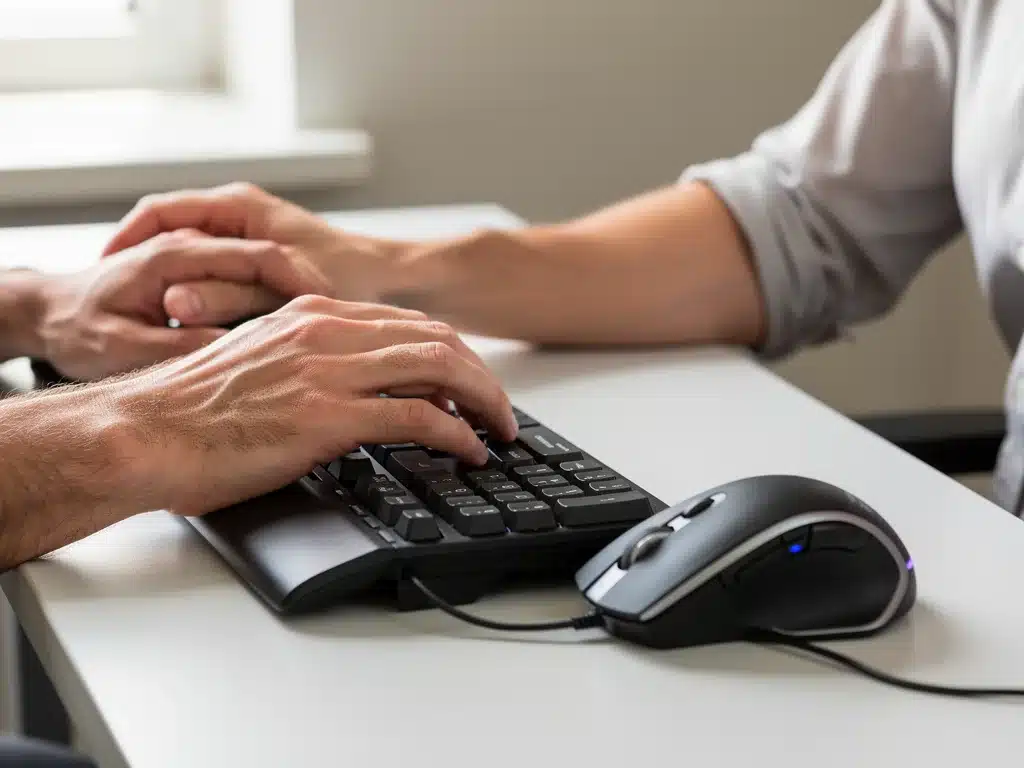
Keyboard and Mouse: Supporting Natural Hand Position
The tools you interact with most frequently – your keyboard and mouse – are often overlooked ergonomic culprits. Standard keyboards and mice can force your wrists into unnatural angles, leading to conditions like carpal tunnel syndrome and repetitive strain injuries. For a truly productive home office, investing in ergonomic alternatives that support a natural hand and wrist position is essential. This means selecting devices that allow your wrists to remain straight and your forearms parallel to the floor.
Ergonomic keyboards often feature split designs, negative tilt, or cushioned wrist rests to promote a more neutral hand posture. Similarly, ergonomic mice come in various designs, such as vertical mice or trackballs, that reduce wrist pronation and minimize excessive hand movements. The goal is to reduce tension and strain, enabling you to work efficiently and comfortably for extended periods.
Choosing Ergonomic Input Devices
Making informed choices about your keyboard and mouse can prevent discomfort and injury, enhancing your overall work experience.
- Ergonomic Keyboards: Look for split, curved, or negative-tilt designs that promote natural hand and wrist alignment.
- Vertical Mice: These designs reduce wrist pronation by allowing your hand to rest in a more natural handshake position.
- Trackballs: Minimize wrist movement, as you control the cursor with your thumb or fingers.
- Adjustable Sensitivity: Allows you to customize cursor speed, reducing the need for large mouse movements.
By optimizing your keyboard and mouse setup, you significantly reduce the risk of strain and injury, fostering a more comfortable and productive home office experience.
Lighting and Environment: Optimizing Your Workspace
Beyond the core ergonomic equipment, the overall lighting and environmental conditions of your home office play a crucial role in productivity and well-being. Poor lighting can lead to eye strain, headaches, and fatigue, while a cluttered or uninspiring environment can hinder concentration. Creating a productive home office involves paying attention to these subtle yet impactful details, ensuring your workspace is both functional and pleasant.
Natural light is always preferable, so position your desk near a window if possible, avoiding direct glare on your screen. Supplement natural light with adjustable task lighting that illuminates your workspace without causing reflections. Beyond lighting, consider the ambient temperature, noise levels, and even the presence of plants, all of which contribute to a conducive work environment.
Elements of an Optimized Work Environment
A well-curated environment supports mental clarity and physical comfort, making your home office a more inviting place to work.
- Natural Light: Maximize exposure to daylight, positioning your desk to avoid screen glare.
- Task Lighting: Use adjustable desk lamps to illuminate your work area without harsh shadows.
- Temperature Control: Maintain a comfortable ambient temperature to prevent distraction.
- Noise Reduction: Minimize distractions with noise-canceling headphones or by choosing a quiet location.
- Personalization: Incorporate elements like plants or personal items to create an inspiring space.
Paying attention to these environmental factors significantly enhances comfort and focus, making your home office a truly productive and enjoyable space.
Breaks and Movement: The Unsung Ergonomic Heroes
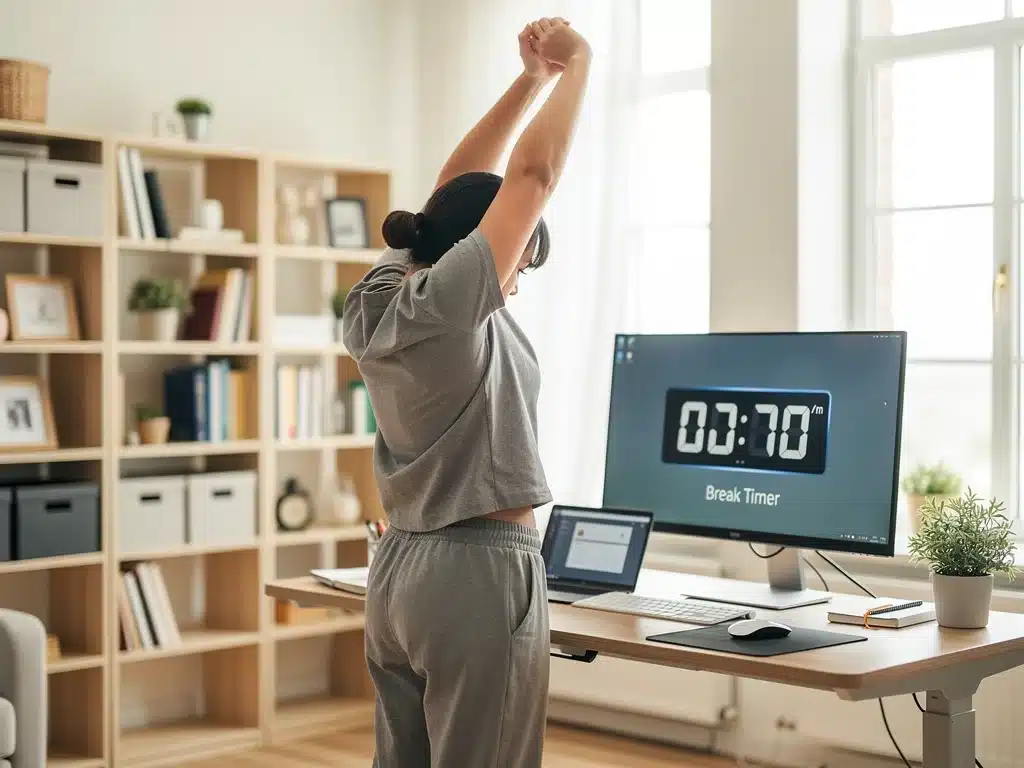
Even with the most meticulously designed ergonomic setup, prolonged static postures are detrimental. Regular breaks and incorporating movement throughout your workday are arguably the most critical ergonomic tips for 2026 workers. The human body is designed for movement, not for sitting or standing still for hours on end. Integrating micro-breaks and longer stretching sessions can counteract the negative effects of sedentary work, revitalizing both your body and mind.
These breaks don’t need to be lengthy. Simple strategies like standing up every 30-60 minutes, walking around your home, or performing quick stretches can make a significant difference. The key is consistency and intentionality. By actively scheduling and taking these breaks, you reinforce healthy habits that contribute to sustained productivity and long-term well-being in your productive home office.
Strategies for Incorporating Movement
Making movement a regular part of your workday is essential for combating fatigue and maintaining physical health.
- Timed Reminders: Use apps or alarms to prompt short breaks every 30-60 minutes.
- Standing Desk Intervals: Alternate between sitting and standing every hour.
- Stretch Routines: Perform simple stretches for your neck, shoulders, wrists, and back during breaks.
- Walk Breaks: Take a short walk outside or around your home to refresh your mind.
Prioritizing movement and breaks is a non-negotiable aspect of an ergonomic and productive home office, ensuring your body stays active and your mind remains sharp throughout the day.
Investing in Ergonomics: Long-Term Health and Productivity
Ultimately, creating a productive home office for 2026 workers boils down to a conscious decision to invest in ergonomics. This isn’t just about purchasing new equipment; it’s about adopting a mindset that prioritizes long-term health, comfort, and sustained efficiency. The initial outlay for ergonomic chairs, adjustable desks, and supportive accessories might seem significant, but the returns in terms of reduced pain, increased focus, and fewer sick days far outweigh the costs. Think of it as preventative healthcare for your professional life.
Moreover, an ergonomically optimized workspace signals to your brain that this is a dedicated, professional environment, helping to delineate work from personal life, even within the confines of your home. This psychological benefit further contributes to a more focused and productive work routine. By embracing these ergonomic principles, you’re not just setting up a workspace; you’re building a foundation for a healthier, more successful remote career.
The Compounding Benefits of an Ergonomic Setup
The positive effects of an ergonomic home office accumulate over time, leading to significant improvements in various aspects of your work and life.
- Sustained Focus: Reduced discomfort allows for longer periods of concentration without distraction.
- Improved Mood: Physical comfort contributes to a more positive outlook and reduced stress.
- Enhanced Creativity: A comfortable environment fosters a clearer mind, conducive to innovative thinking.
- Professional Longevity: Prevents chronic conditions that could cut short a remote career.
Embracing ergonomics is a holistic approach to remote work, ensuring that your home office supports your body and mind, making it a truly productive and sustainable environment for years to come.
| Key Ergonomic Tip | Brief Description |
|---|---|
| Ergonomic Chair | Provides adjustable support for posture and spinal health, crucial for long hours. |
| Height-Adjustable Desk | Allows seamless transitions between sitting and standing, promoting movement. |
| Monitor Placement | Top of screen at eye level and arm’s length distance to reduce eye and neck strain. |
| Regular Breaks | Incorporate micro-breaks and movement throughout the day to combat sedentary effects. |
Frequently Asked Questions About Home Office Ergonomics
Ergonomics is crucial because remote work is now a long-term reality. Proper ergonomic setups prevent musculoskeletal disorders, reduce fatigue, and significantly enhance productivity and comfort for workers spending extended hours at their home workstations. It’s an investment in long-term health and efficiency.
While all ergonomic elements are important, an adjustable ergonomic chair is often considered the most crucial. It provides the foundational support for your spine and posture, directly impacting comfort and preventing pain during prolonged sitting. A good chair allows for personalized adjustments.
It’s recommended to take micro-breaks every 30-60 minutes. Stand up, stretch, or walk around for a few minutes. Longer breaks, such as 15 minutes every 2-3 hours, are also beneficial for mental and physical rejuvenation. Consistency in breaks is key.
Absolutely. Poor lighting can cause eye strain, headaches, and overall fatigue, directly impacting your ability to concentrate and be productive. Optimal lighting, combining natural light with adjustable task lighting, reduces these issues and creates a more comfortable environment.
While not strictly necessary for everyone, a height-adjustable standing desk is highly recommended. It allows you to alternate between sitting and standing, reducing sedentary behavior, improving circulation, and boosting energy levels, which collectively enhance productivity and long-term health.
Conclusion
As we navigate the evolving professional landscape of 2026, the concept of a productive home office has moved beyond a temporary setup to a strategically designed environment. Embracing ergonomic principles is no longer an optional add-on but a fundamental requirement for sustainable remote work. By prioritizing an ergonomic chair, a dynamic desk, optimal monitor placement, supportive input devices, thoughtful lighting, and crucial movement breaks, workers can transform their home offices into sanctuaries of efficiency and well-being. This holistic approach not only mitigates the risks of physical discomfort and injury but also fosters a more focused, energetic, and ultimately more productive work experience, ensuring long-term success in the remote era.